 Instrumentiverse
Introduction to Parallel Processing in Modern Music Production
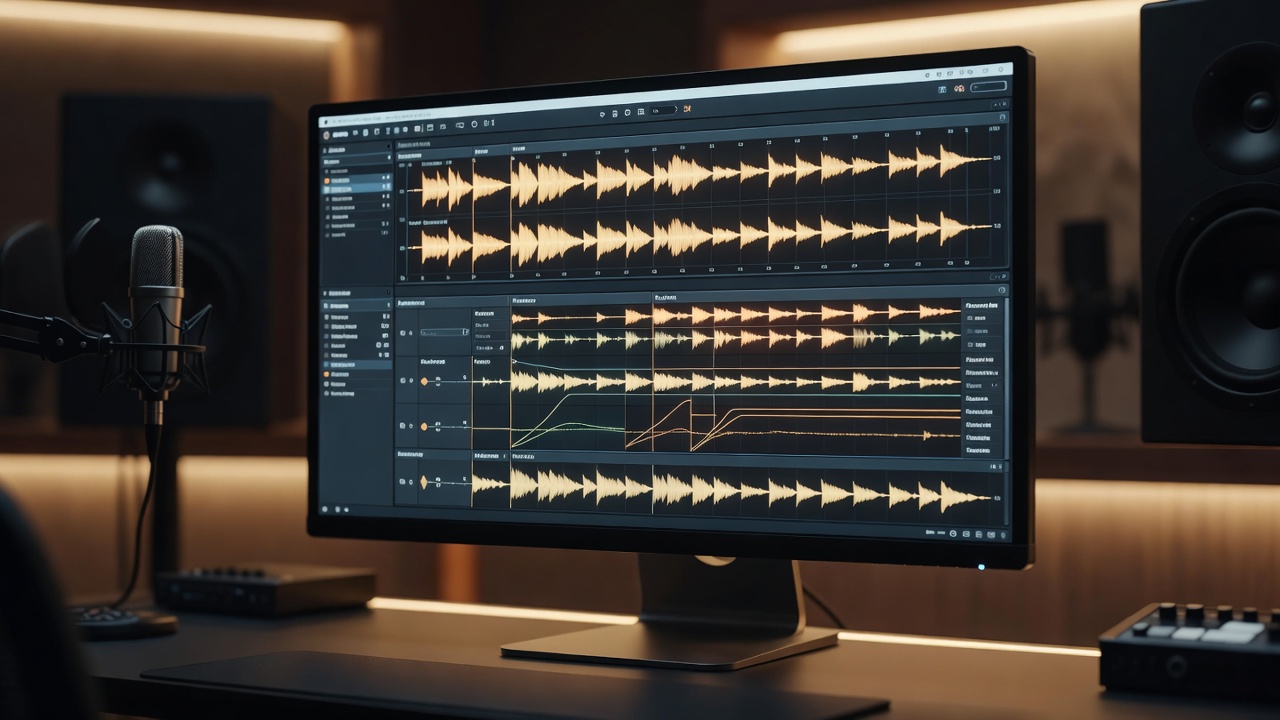
Parallel processing has become a cornerstone technique for intermediate producers aiming to elevate their mixes beyond standard EQ and compression. By duplicating signals and applying distinct processing chains, you create enhanced depth, punch, and clarity that make beats and tracks stand out in competitive 2026 landscapes. This approach blends wet and dry signals creatively, allowing for hybrid analog-digital chains that dominate current trends. Producers today face increasingly dense arrangements where simple serial processing falls short, and parallel methods provide the necessary headroom and excitement without sacrificing dynamics.
Understanding the fundamentals starts with recognizing how parallel paths add dimension without muddying the original audio. In 2026, producers increasingly rely on these methods to achieve professional results in home and studio environments alike. The technique originated in analog consoles but has evolved with digital DAWs to offer precise control and recallable settings that speed up workflows dramatically.
Core Fundamentals of Parallel Processing
At its essence, parallel processing involves splitting an audio track into multiple paths. One remains unprocessed or lightly treated as the dry signal, while others receive heavy effects like compression, saturation, or reverb. Blending these creates a fuller sound. This technique shines in genres requiring punchy drums or polished vocals, delivering power that serial processing alone cannot match. The key principle is phase coherence and level matching to ensure the summed signal remains musical rather than harsh or thin.
Key benefits include increased dynamic control and the ability to emphasize transients or sustain without over-compressing the main signal. For 2026 trends, hybrid setups combining digital plugins with analog-modeled hardware emulations are gaining traction for their warmth and precision. You can achieve results comparable to high-end studios by carefully routing buses and using sidechain triggers across parallel lanes.
Setting Up Parallel Processing in Major DAWs
Implementation varies by DAW but follows similar principles. In Ableton Live, duplicate your track and route it to a return track via sends. Apply compression on the return while keeping the original dry. Visit Ableton for official workflow resources. Detailed steps include creating an audio track group, inserting a utility plugin for gain adjustment, and automating send levels for evolving builds.
FL Studio users can use the mixer to create parallel chains with multiple inserts. Route the dry signal to the main channel and the processed version to a dedicated bus, adjusting the mix knob for precise blending. Logic Pro offers bus routing for similar results, allowing users to leverage stock plugins like the Compressor in parallel mode with low CPU overhead. Pro Tools excels with aux tracks for complex setups, where you can insert multiple instances and use the fader for real-time wet/dry control. Always match levels carefully to avoid phase issues, and consider using a correlation meter plugin to monitor stereo compatibility during setup.
Practical tip: Start with a 50/50 blend and adjust based on the material. Test in context with the full mix to ensure cohesion across different playback systems.
Practical Examples for Drums and Vocals
For drums, duplicate the kick and snare tracks. Apply aggressive parallel compression on one path to bring out attack and body. Blend at 30% wet for punch without squashing dynamics. This creates powerful beats ideal for modern productions. Extend this to the full drum bus by sending overheads and room mics to a parallel saturation chain, adding harmonic richness that cuts through dense electronic layers.
Vocals benefit from parallel saturation and EQ. Route a copy through a tape emulator for warmth, then blend subtly to add presence. 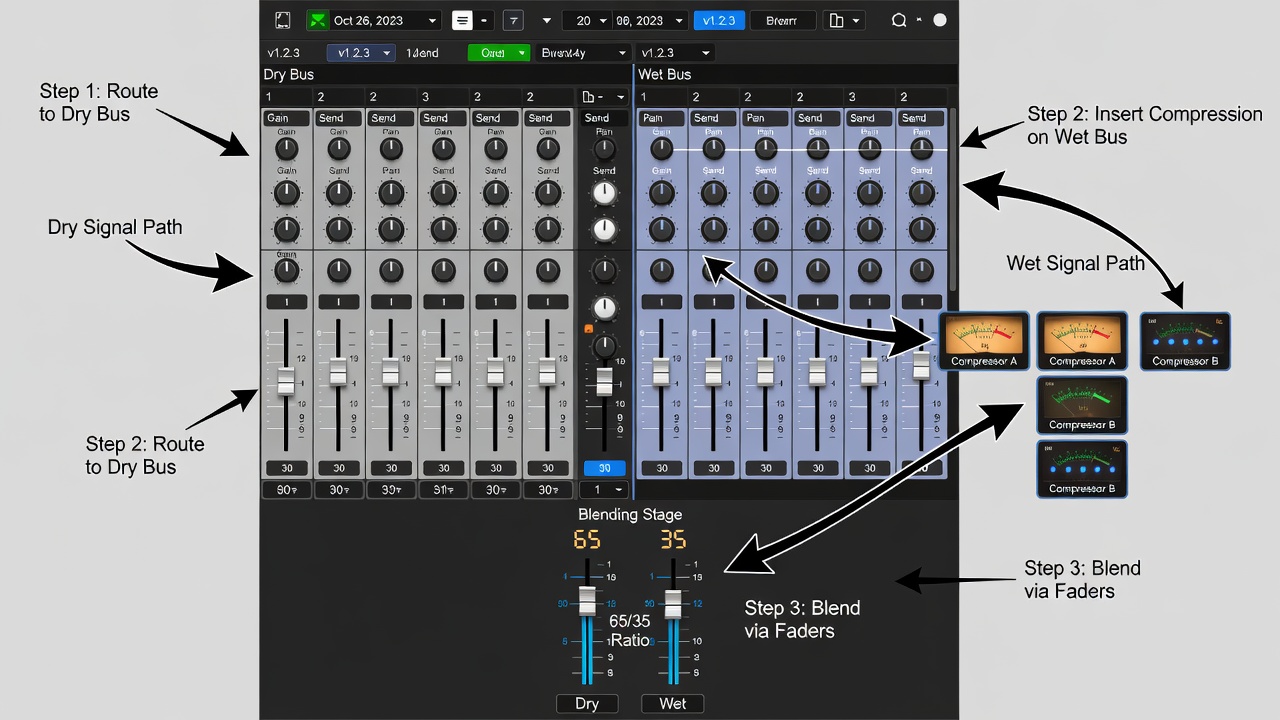
Expanding to Bass and Synths
Basslines gain weight through parallel limiting on a duplicated path, allowing low-end punch alongside midrange clarity. For synth pads, parallel chorus and delay chains add movement and width that enhance stereo imaging in 2026 immersive mixes.
Comparing Wet/Dry Blending Ratios
Effective blending depends on the source. A 70/30 dry-to-wet ratio often preserves clarity in drums while adding impact. For vocals, try 60/40 to enhance air and harmonics. Always A/B test against reference tracks.
- Drums: 65-75% dry for controlled power
- Vocals: 55-65% dry for natural enhancement
- Full mix buses: 80/20 for subtle glue
- Bass elements: 75/25 dry to maintain low-end focus
- Atmospheric effects: 40/60 dry for creative depth
Adjust ratios dynamically using automation for evolving sections of a track. Compare ratios in mono to verify translation across club and headphone systems.
Common Pitfalls and How to Avoid Them
Over-blending leads to phase cancellation—always check mono compatibility. Ignoring gain staging causes distortion; maintain headroom throughout. Poor plugin selection can introduce unwanted artifacts; prioritize quality tools with low latency in 2026 hybrid workflows. Another frequent issue is mismatched timing between paths, which creates comb filtering; solve this by aligning samples precisely or using delay compensation features in your DAW.
Mistake to avoid: Applying the same settings across genres. Tailor ratios and chains to the specific track for optimal outcomes. Document your sessions with notes on settings to build reusable templates over time.
2026 Trends: Hybrid Analog-Digital Chains
Current production emphasizes hybrid chains, merging digital precision with analog-modeled warmth. Use plugins emulating classic consoles alongside real hardware where possible. This yields competitive edge in loudness wars while maintaining musicality. Explore Sound on Sound for in-depth gear insights. Emerging 2026 practices include integrating AI-assisted routing suggestions within DAWs and cloud-based collaboration on parallel templates.
Actionable Workflows and Plugin Recommendations
Follow this workflow: 1. Duplicate track. 2. Insert compressor or saturator on parallel path. 3. Set high ratio and fast attack. 4. Blend and automate. 5. Reference on multiple systems. 6. Export stems for further hybrid processing if needed. Popular choices include FabFilter Pro-C 2 for compression and Soundtoys Decapitator for saturation, integrated into most DAWs seamlessly. Check Avid resources for Pro Tools-specific parallel routing guides.
FAQ Section
What plugins work best for parallel compression? Start with stock DAW tools before investing in third-party options like Waves CLA compressors.
How does parallel processing differ from multiband? Parallel affects the full signal; multiband targets specific frequencies.
Can beginners use these techniques? Yes, but master basics first—intermediate producers see the fastest gains.
Is hardware necessary for 2026 hybrid setups? No, high-quality emulations suffice for most results.
What latency issues arise in parallel chains? Enable delay compensation in your DAW preferences to keep paths aligned.
How to automate parallel blends effectively? Use volume automation on the wet bus during drops and builds for dynamic impact.
Conclusion
Parallel processing unlocks superior depth and power in your DAW productions. By mastering setups, examples, and ratios while avoiding pitfalls, you position yourself for success in evolving 2026 music landscapes. Implement these strategies today for transformative mixes that stand out on streaming platforms and live stages alike. Continuous experimentation with new plugin updates will keep your techniques fresh and competitive.
No comments yet. Be the first!