 Instrumentiverse
Introduction to Granular Synthesis in Modern Beat Making
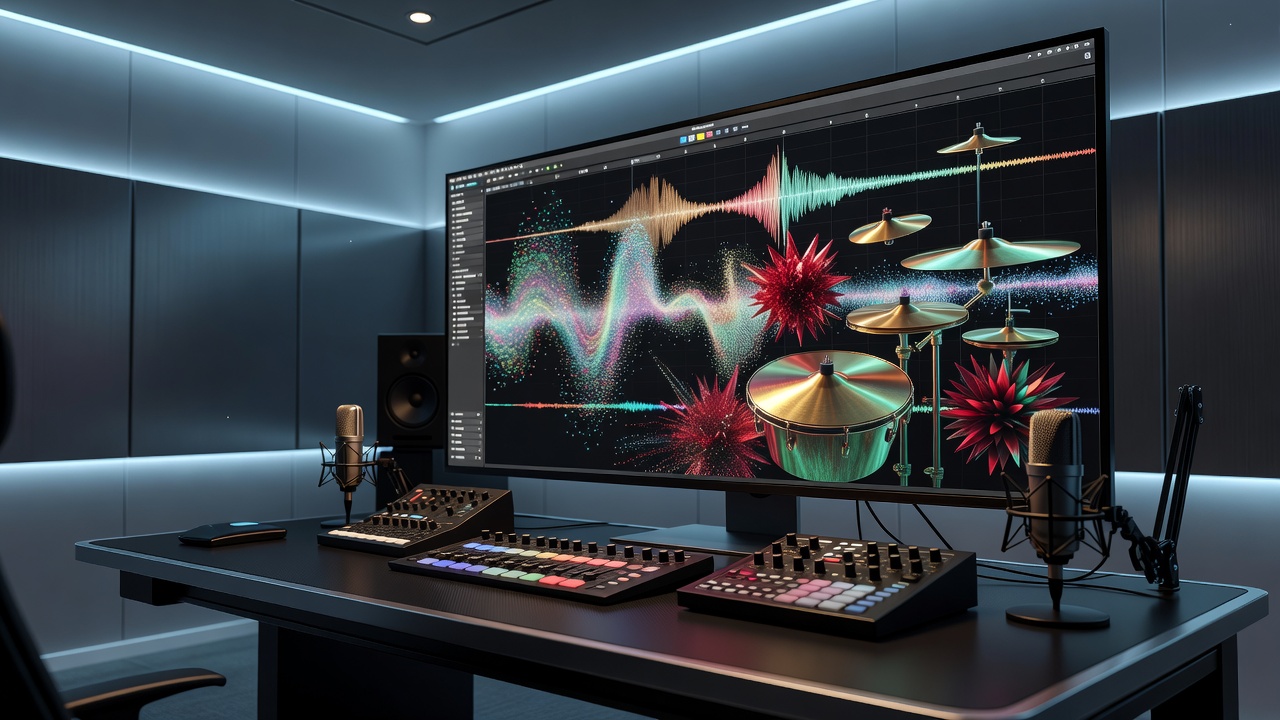
Granular synthesis breaks audio into tiny grains and reassembles them into entirely new textures. In 2026, beat makers are turning to this method to move beyond standard sampling and MIDI programming. It delivers rhythmic control and evolving atmospheres that traditional tools cannot match. Producers seeking distinctive percussion and atmospheric layers find granular techniques essential for standing out in competitive genres like hip-hop, electronic, and experimental music. This approach transforms ordinary samples into dynamic elements that evolve over time, offering endless creative possibilities for unique beats.
Fundamentals of Granular Synthesis
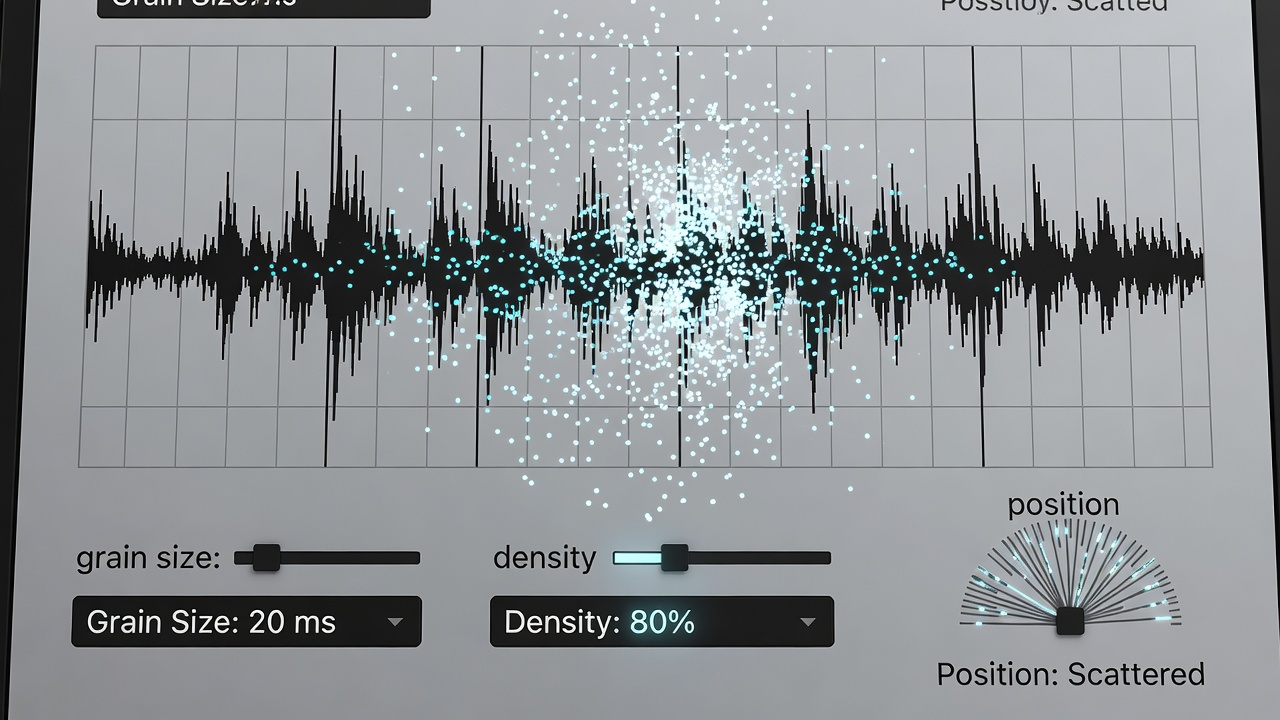
At its core, granular synthesis divides a sound source into micro-slices called grains, typically 1 to 100 milliseconds long. Parameters such as grain size, density, pitch, and position determine the resulting timbre. Smaller grains create smooth pads while larger grains preserve rhythmic character. Understanding these basics helps producers sculpt beats that feel both organic and futuristic. Additional concepts include grain shape, which controls the envelope of each slice, and spray or jitter functions that introduce randomness to avoid mechanical repetition. Source material selection matters greatly; sustained tones yield different results than percussive hits. Experimenting with playback direction, overlap, and windowing functions further refines the output, turning simple loops into complex rhythmic textures suitable for modern productions.
Implementing Granular Synthesis in Leading DAWs
Most major DAWs now include native or easy-to-access granular tools. In Ableton Live, Granulator II or the stock Granulator device lets users drag samples directly onto the interface. FL Studio offers the Granulizer plugin within its sampler. Logic Pro users can employ Alchemy’s granular engine for quick results. Each platform requires slightly different routing but follows the same core workflow of loading a source, setting grain parameters, and modulating playback position. Bitwig Studio provides a powerful Polymer synth with granular capabilities, while Reaper users often rely on free plugins like PaulXStretch or paid options such as Granulizer 2 for flexible implementation across sessions.
Step-by-Step Example: Textured Percussion in Ableton Live
1. Load a snare or kick sample into Granulator II.
2. Set grain size to 25 ms for punchy attacks.
3. Increase density to 40 grains per second.
4. Apply random position modulation synced to 1/16 notes.
5. Route the output through a low-pass filter to tame harsh highs.
6. Add envelope modulation to grain pitch for subtle pitch bends that mimic vinyl crackle or tape wow.
7. Automate density changes during the arrangement to build tension in verses and release in choruses.
This produces crisp yet evolving percussion that sits uniquely in a mix. Variations include using multiple instances with offset timings to create polyrhythmic layers that interact dynamically with the main groove.
Creating Atmospheric Layers
For pads and textures, start with a vocal chop or field recording. Lower grain density to 8–12 grains per second and stretch grain size to 80 ms. Add slow LFO modulation to pitch and pan for movement. Blend the result at low volume beneath main drums to add depth without cluttering the groove. Further enhancements involve layering two granular instances—one focused on high-frequency shimmer and another on low-end rumble—then processing them separately with reverb and delay to craft immersive soundscapes that support the core beat.
Parameter Tweaks for Rhythmic Control
Grain size directly affects perceived rhythm: values under 10 ms smear transients while values above 50 ms retain clear hits. Position randomization creates swing-like effects when quantized to the grid. Pitch randomization between -12 and +12 semitones adds organic variation. Experiment with reverse playback on individual grains to introduce unexpected accents. Always monitor CPU usage, as high density settings can strain older machines. Additional tweaks include adjusting grain overlap to control smoothness, using MIDI control for real-time parameter changes during performance, and syncing grain triggers to the project tempo for precise rhythmic alignment. Producers can also modulate grain position via step sequencers to generate evolving patterns that repeat yet never sound identical.
Blending Grains with Traditional Beat Elements
Layer granular percussion over standard drum samples for hybrid grooves. Use sidechain compression triggered by the kick to let the granular layer breathe. Automate grain position during breakdowns to transition from rhythmic to atmospheric sections. Parallel processing—sending the granular signal through distortion and reverb—helps it compete with punchy MIDI drums. Compare results by A/B testing dry versus processed versions within the same session to identify the ideal balance. In practice, route the granular output to a separate bus for group processing, allowing independent EQ and compression that preserves the original drum punch while integrating the textured elements seamlessly into the overall mix.
Common Pitfalls to Avoid
- Overloading density without EQ, resulting in muddy low-mids that mask important frequencies.
- Ignoring phase issues when layering multiple granular instances, which can cause cancellation and thin sounds.
- Forgetting to freeze tracks during mixdown, which spikes CPU and interrupts workflow.
- Using only one sample source; variety in source material yields richer results and prevents repetitive textures.
- Neglecting to set proper gain staging before granular processing, leading to clipping or weak signals.
- Over-relying on default presets without customizing modulation rates to match the track’s tempo and feel.
Real-World Before-and-After Comparisons
A straight 808 kick sounds tight but static. After granular processing with 30 ms grains and subtle pitch modulation, the same kick gains movement and sits better beside hi-hats. Listeners often describe the processed version as “alive” compared with the dry original. Similar transformations apply to snares and claps, turning flat samples into evolving rhythmic elements. In one production example, a simple hi-hat loop processed through granular synthesis with randomized grain positions created a rolling triplet feel that replaced multiple layered MIDI patterns, simplifying the arrangement while increasing sonic interest. Atmospheric vocal layers added before-and-after depth, making breakdowns more emotional and spacious without additional instrumentation.
Advanced Techniques and Genre Applications
Beyond basic percussion, granular synthesis excels in genres requiring intricate sound design. In lo-fi beats, apply heavy pitch randomization and low density to emulate degraded tape effects. For trap and drill, stretch short vocal samples into rhythmic stutters that lock tightly with 808 slides. Electronic producers often combine granular textures with wavetable synthesis for hybrid leads that morph continuously. Practical workflow tips include bouncing processed grains to audio early to free resources, then editing the bounced file with traditional tools for final polish. Comparing CPU loads across DAWs shows Ableton handling high-density granular streams efficiently on modern hardware, while Logic benefits from Alchemy’s optimized engine for longer sessions.
FAQ: Plugin Choices and CPU Management
Which plugins work best? Native instruments like Ableton’s Granulator or third-party options such as Output Portal provide excellent starting points. Ableton documentation offers detailed parameter explanations. FL Studio’s integrated Granulizer pairs well with its step sequencer for rhythmic experiments.
How do I reduce CPU load? Freeze granular tracks after sound design and use lower sample rates during sketching. Sound on Sound regularly publishes optimization guides for modern DAWs.
Can I use granular synthesis on any sample? Yes, but tonal sources like synths or vocals often produce more musical results than noise-heavy files. Experiment with drum loops first to understand rhythmic outcomes.
What about hardware integration? Some producers route DAW outputs through external granular processors like the Make Noise Morphagene for hybrid setups that add analog warmth.
Conclusion
Granular synthesis opens new creative pathways for beat makers in 2026. By mastering grain parameters, blending processed layers with traditional drums, and avoiding common workflow traps, producers can create distinctive percussion and atmospheres that stand out. Start with small experiments in your preferred DAW and iterate toward unique sonic signatures that elevate entire tracks.
No comments yet. Be the first!