 Instrumentiverse
Introduction to Plugin and Pedal Integration in 2026
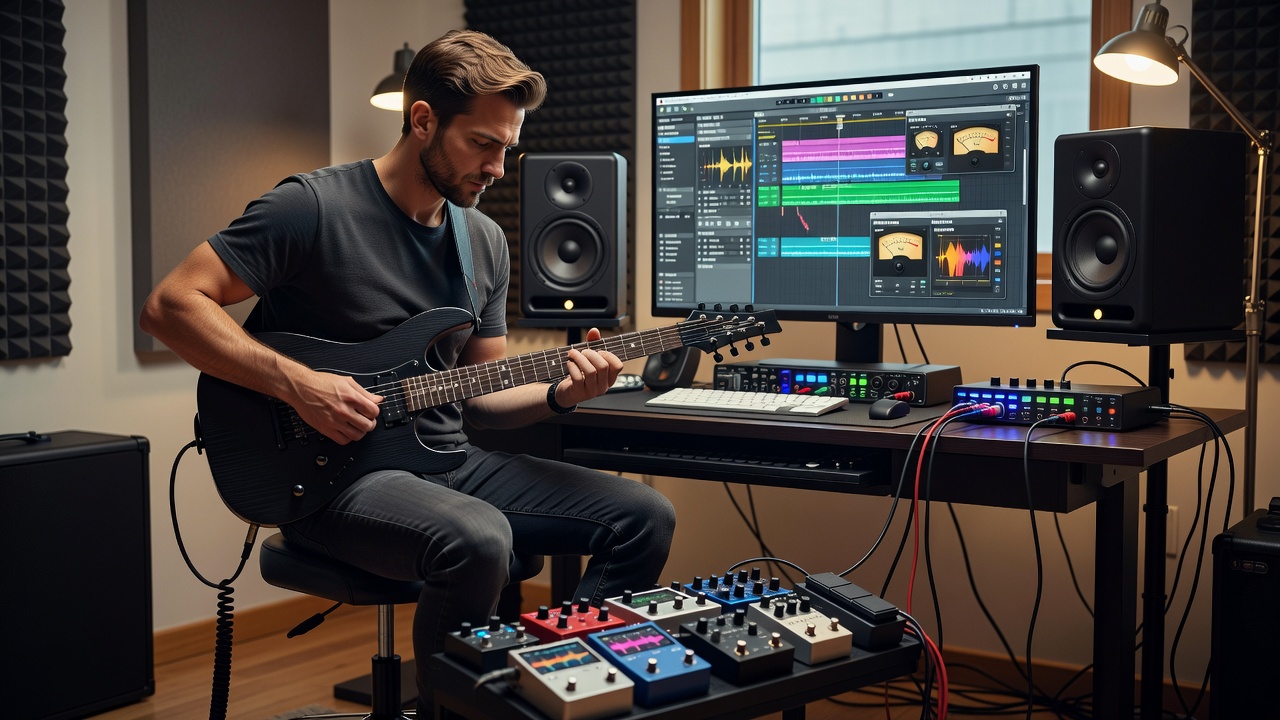
Modern musicians blend hardware guitar pedals with software plugins to craft signature tones that stand out in both home and pro studios. This approach leverages the tactile response of analog pedals alongside the precision and recallability of digital plugins routed through audio interfaces to studio monitors. In 2026, innovations in low-latency drivers and hybrid signal processing make these integrations more seamless than ever before. Guitarists now expect seamless hybrid workflows that deliver both the warmth of physical stompboxes and the flexibility of plugin-based processing.
The goal is professional results without sacrificing workflow speed. Whether you record direct or mic an amp, optimizing the chain from guitar to monitors ensures clarity and punch. This article dives deep into practical strategies, moving beyond basic overviews to provide actionable advice for gear enthusiasts.
Understanding 2026 Gear Innovations
Recent advancements include improved DSP chips in audio interfaces and smarter plugin architectures that handle real-time convolution. Interfaces now feature enhanced direct monitoring with built-in DSP effects that complement external pedals. Studio monitors have seen refinements in driver technology for better transient response, allowing more accurate evaluation of hybrid tones.
These innovations support complex signal paths where pedals handle initial tone shaping and plugins manage spatial effects. Musicians benefit from better integration between hardware and software ecosystems, reducing the need for constant patching and rerouting.
Signal Chain Optimization Basics
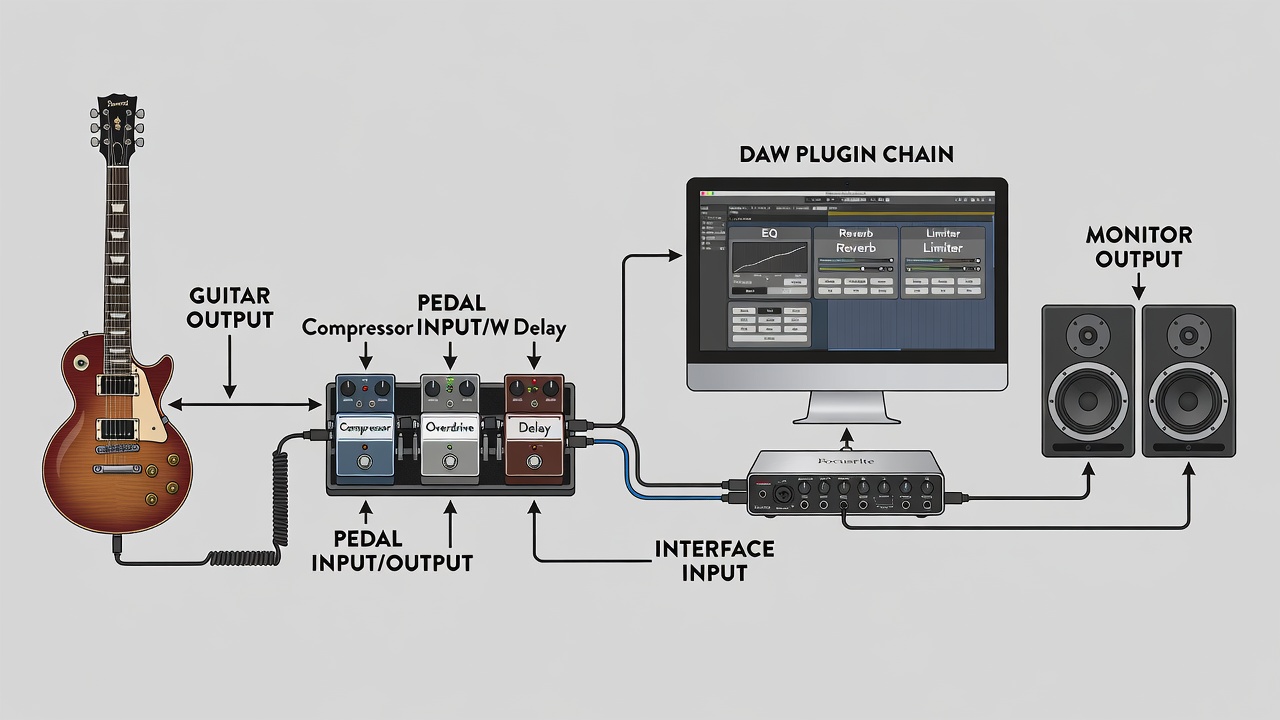
Start with your guitar feeding into a pedalboard. From there, route the output to an audio interface input. Plugins then process the signal inside your DAW before it reaches studio monitors. Key is maintaining gain staging at every stage to avoid clipping while preserving dynamics. Proper impedance matching between pedals and interface inputs prevents tone loss and unwanted coloration.
Place time-based effects like delay and reverb as plugins for flexibility, while using pedals for overdrive and modulation. This hybrid method reduces CPU load and adds organic feel. Consider the order carefully: compression early in the chain via pedals, followed by EQ and saturation in plugins for sculpting.
Latency Management with Practical Examples
Latency remains a challenge when combining live pedal effects with plugin processing. Use ASIO or Core Audio drivers set to 128 samples or lower. For example, running a Strymon Timeline pedal into an interface with a Waves CLA-76 plugin compressor can introduce 8-12ms round-trip latency if buffer size is not optimized. Testing with a click track helps identify where delays accumulate.
Advanced scenarios involve parallel processing paths. Record a clean DI track while simultaneously monitoring processed signals through both pedals and plugins. Tools like Focusrite Control help monitor direct while plugins handle post effects. Experiment with different buffer sizes during tracking versus mixing sessions to balance responsiveness and stability.
Real-World Testing Scenarios
Combine a Boss DD-8 delay pedal with Soundtoys EchoBoy plugin. Guitar → DD-8 → interface input 1 → DAW track with EchoBoy on the insert. Send to monitors via a pair of Yamaha HS8s. A/B testing reveals the pedal adds analog warmth while the plugin provides precise repeats and modulation options. Compare results by bypassing the plugin and listening only through the pedal for contrast.
Another setup pairs an Electro-Harmonix Big Muff with iZotope Ozone for mastering polish. Side-by-side listening on monitors highlights improved stereo imaging from the plugin stage. Try routing a chorus pedal before the interface and a reverb plugin afterward to create lush, evolving textures that evolve across the stereo field. Additional tests with overdrive pedals into amp sim plugins demonstrate how hardware grit interacts with digital modeling for hybrid distortion profiles.
Step-by-Step Setup Instructions
- Connect guitar to first pedal in chain using quality instrument cable.
- Route final pedal output to audio interface input, ensuring proper level matching.
- Open DAW and create an audio track with input monitoring enabled.
- Insert core plugins: EQ, compressor, then modulation effects in logical order.
- Calibrate monitor levels using pink noise at 85dB SPL for accurate referencing.
- Adjust buffer size in audio settings for under 10ms latency during tracking.
- Record test takes and compare through monitors, adjusting plugin parameters iteratively.
- Save preset chains for quick recall in future sessions.
Advanced Techniques and Comparisons
Beyond basic routing, explore mid-side processing where plugins handle stereo widening after pedal-based tone foundation. Compare serial versus parallel chains: serial keeps things simple for straightforward tones, while parallel allows independent blending of dry pedal sound with wet plugin effects. Use automation lanes in your DAW to dynamically change plugin parameters in response to pedal expression controls.
Side-by-side audio examples show how a Tube Screamer-style pedal feeding into a plugin amp sim outperforms software-only distortion in feel and responsiveness. Always reference commercial tracks on the same monitoring system to gauge translation.
Common Mistakes to Avoid
- Overloading the interface preamp with hot pedal outputs, leading to digital distortion.
- Ignoring phase alignment between wet and dry signals, which muddies the mix.
- Using mismatched cable types that introduce noise and hum into the chain.
- Skipping reference tracks when dialing tones on monitors, resulting in poor translation.
- Neglecting regular firmware updates on interfaces that improve plugin compatibility.
FAQ: Addressing Integration Issues
How do I reduce latency when using multiple pedals and plugins?
Lower your DAW buffer size and enable direct monitoring on the interface. Freeze tracks with heavy plugins to free resources. Consider dedicated DSP hardware for additional plugin instances.
Can I use studio monitors for both tracking and mixing?
Yes, but calibrate them properly and switch to headphones for critical low-end checks. Position monitors at ear height in an equilateral triangle with your listening position.
What if my pedal chain introduces unwanted noise?
Use isolated power supplies for pedals and high-quality shielded cables. Gate plugins can tame residual hum while preserving note attack.
How do 2026 interfaces improve hybrid workflows?
Newer models offer better onboard DSP that mirrors plugin functions, allowing seamless switching between hardware and software processing without noticeable latency spikes.
Conclusion
Integrating plugins with guitar pedals and studio monitors in 2026 unlocks creative and sonic possibilities for any guitarist. By focusing on optimized signal chains, careful latency control, and thorough testing, you achieve tones that translate professionally across playback systems. Experiment with the workflows above to refine your unique sound and stay ahead in evolving production techniques. For further reading on audio interfaces, visit Focusrite and explore monitor calibration guides at Sound on Sound.
No comments yet. Be the first!